Data
October 5, 2026
How to Catch Your Team's Buying Signals Without a Spreadsheet
Discover how to turn LinkedIn buying signals into qualified leads without manual spreadsheets, using Teamfluence to collect, score and route engagement.
Discover how to turn LinkedIn buying signals into qualified leads without manual spreadsheets, using Teamfluence to collect, score and route engagement.
We provide neutral advice that works for you.
Away from point sellers, pay to play sites and all the noise that only adds to confusion.
A safe space to ask the questions you want to.


The people most likely to buy from you already react to your team's posts, look at their profiles and follow your company. Most teams catch those buying signals by hand, one rep at a time, and plenty slip through. This post walks through the manual version, where it leaks, and how Teamfluence collects, scores and routes the signals for the whole team. Moving off Trigify before it closes on 22 October? There's a section for you near the end, next to Stakki's walkthrough of the product.
On Tuesday, someone from a company on your target list reacts to your CEO's post. On Wednesday, a VP at the same company looks at one of your reps' profiles. On Friday, someone else from there follows your company page.
That's a company warming up in public. Your team saw it as three unrelated notifications, in three different people's feeds, and nobody put them together.
I run growth at Teamfluence, and I've watched a lot of sales teams try to catch this by hand. Finding the signals isn't the hard part. They show up every day: in every rep's notifications, on the company page, in the comments under a competitor's post about the exact problem you solve. The hard part is that nobody sees all of them at once.
Then there's the sorting. For every buyer in there, you'll find your rep's old college roommate, a handful of recruiters and someone who'd love to sell you SEO. Somebody has to tell them apart, and that somebody usually has a quota.
Most of these people will never fill in a form or book a demo. A reaction or a profile visit is as close to raising their hand as they're going to get. If nobody follows up while it's fresh, the moment passes.
When teams do this by hand, it tends to look like this:
If your team has a sheet called something like "social leads FINAL v2", you already know how this goes.
To be fair, it works for a while. A small team that posts now and then can keep up. It falls apart once more comes in than one person can read. Add a few reps who post regularly, or a target account list someone expects you to check every name against, and the sheet falls behind by Thursday.
The bigger problem is when it stops. The whole process runs on whoever has time that day, so it quietly dies in your busiest weeks. Those are usually the weeks you need pipeline most.
And it only ever covers your own team. People engaging with a competitor, or with the analyst everyone in your market reads, never make it into the sheet at all.
Same five steps. Nobody has to remember to do them.
Every team member connects their profile once. From then on, Teamfluence picks up everyone who engages with any of them or with your company page: reactions, comments, follows, profile visits and accepted connection requests. It all lands in one list, with each person's company and where they first showed up.
You can also track posts and profiles that aren't yours, like a competitor's or an influencer's in your space, and collect the people engaging there. The spreadsheet never had a column for that.
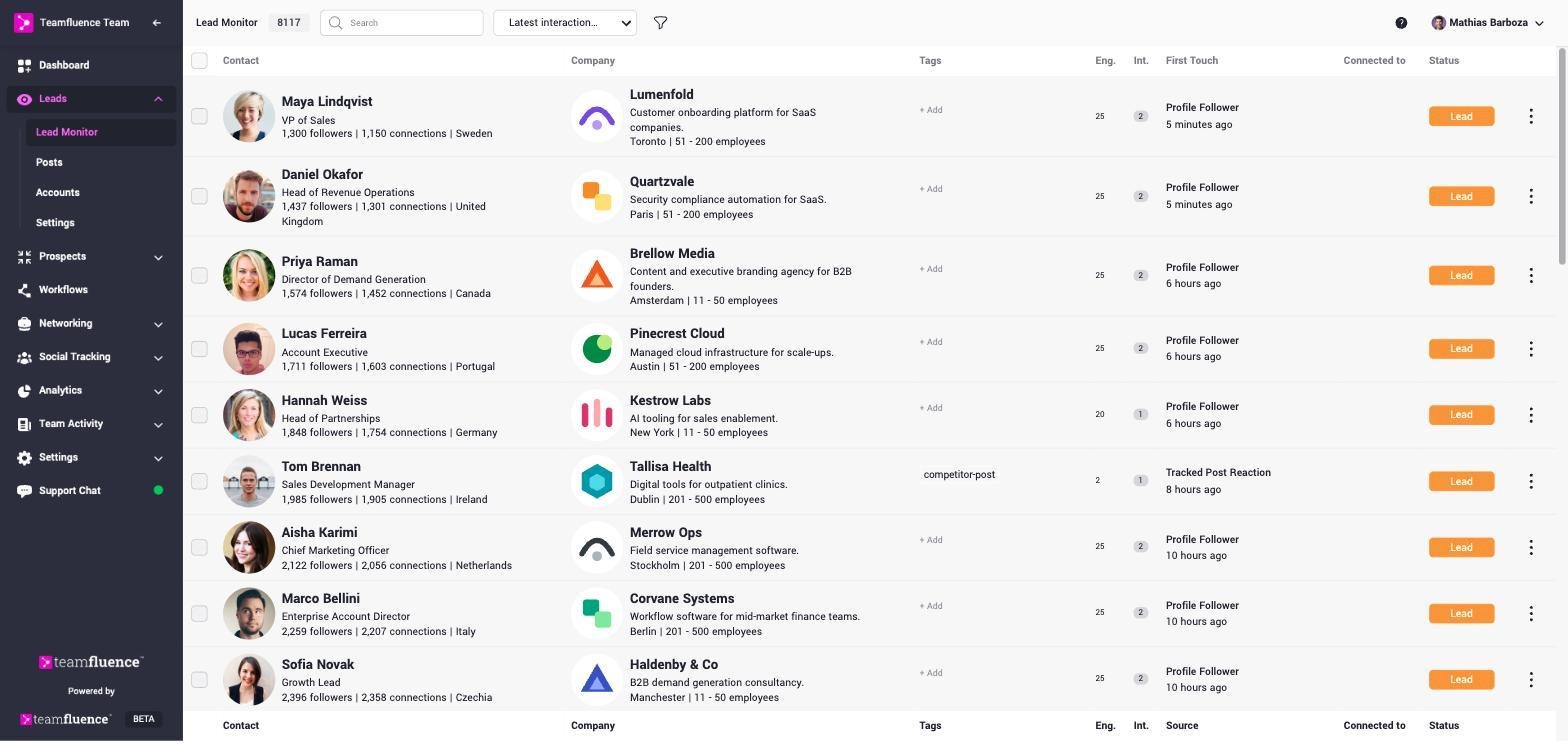
You describe your ideal company and your ideal persona in plain words. An AI agent scores every new lead from 1 to 5 on both, and writes down why.
I'd read the why before the score. A bare score is a number you have to take on faith. A score with a reason is something a rep can read, check and disagree with. Your rep's college roommate ends up near the bottom, with a note explaining how he got there.
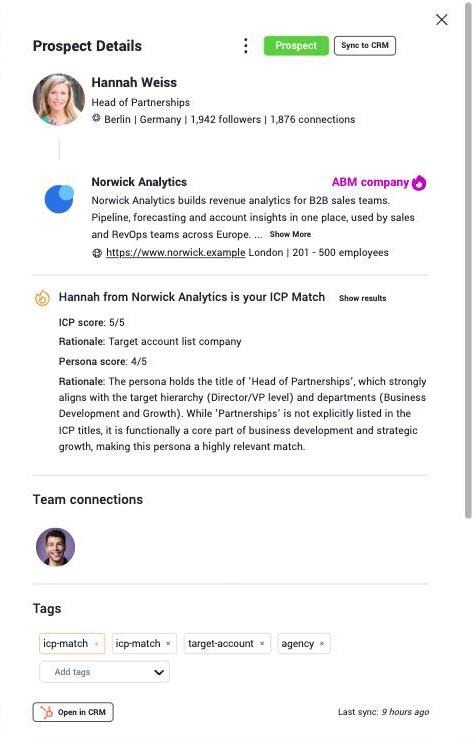
Target accounts get their own treatment. Upload your list, and anyone from those companies is flagged the moment they engage with your team or connect with a team member. The company from the top of this post would have been flagged on Tuesday, at the first reaction.
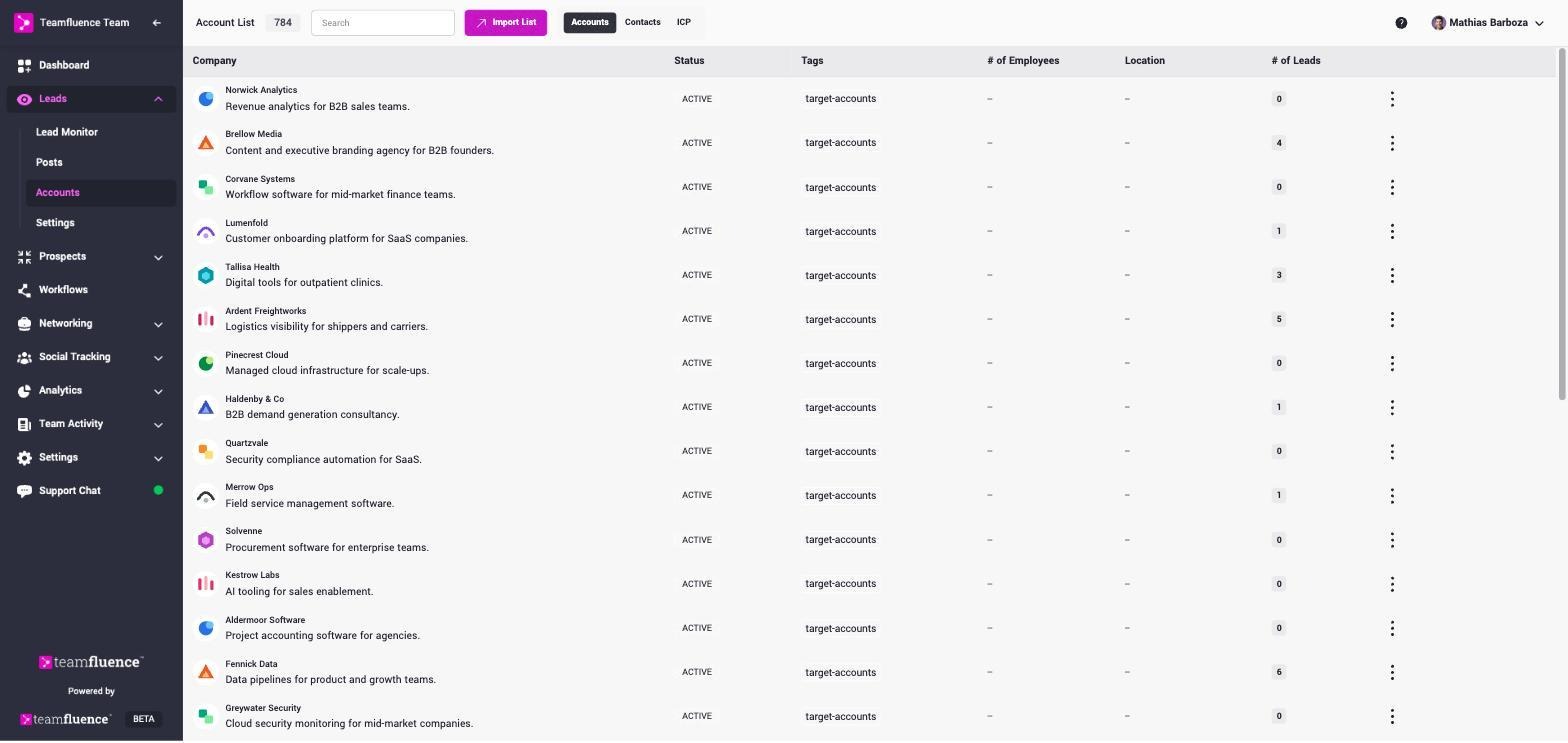
Workflows take over the copy-paste. Every new lead runs through the steps you set (qualify it, tag it, send it) and ends up in HubSpot, Salesforce, Slack or anywhere else you can reach with a webhook. The spreadsheet can retire.
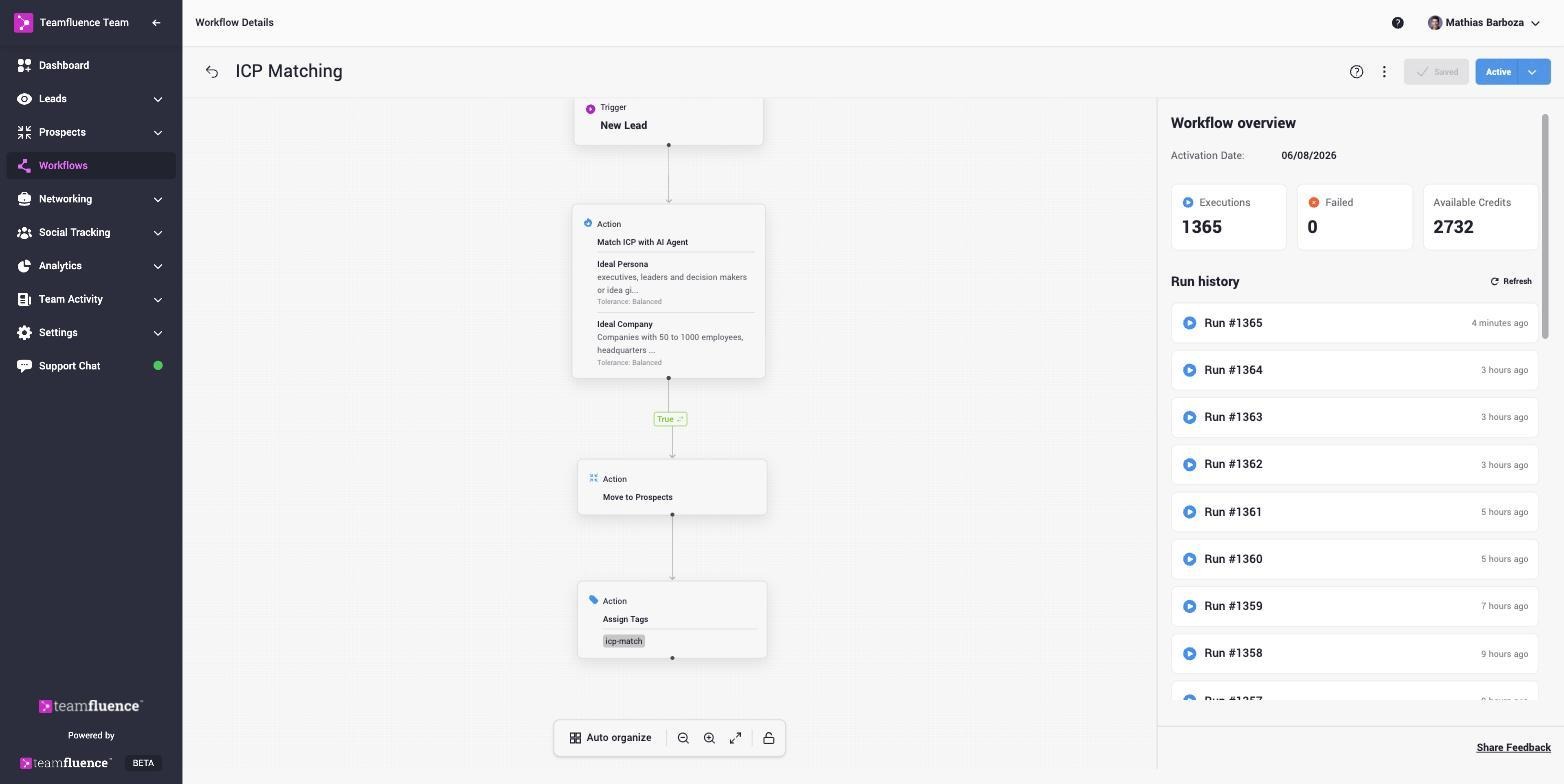
Everything so far waits for people to engage first. Networking campaigns widen the pool instead. Upload a list of people you want to reach, and Teamfluence spreads connection requests across your team, a few each day. Once they're connected, they see your team's posts, and the ones who engage show up in the same list as everyone else.
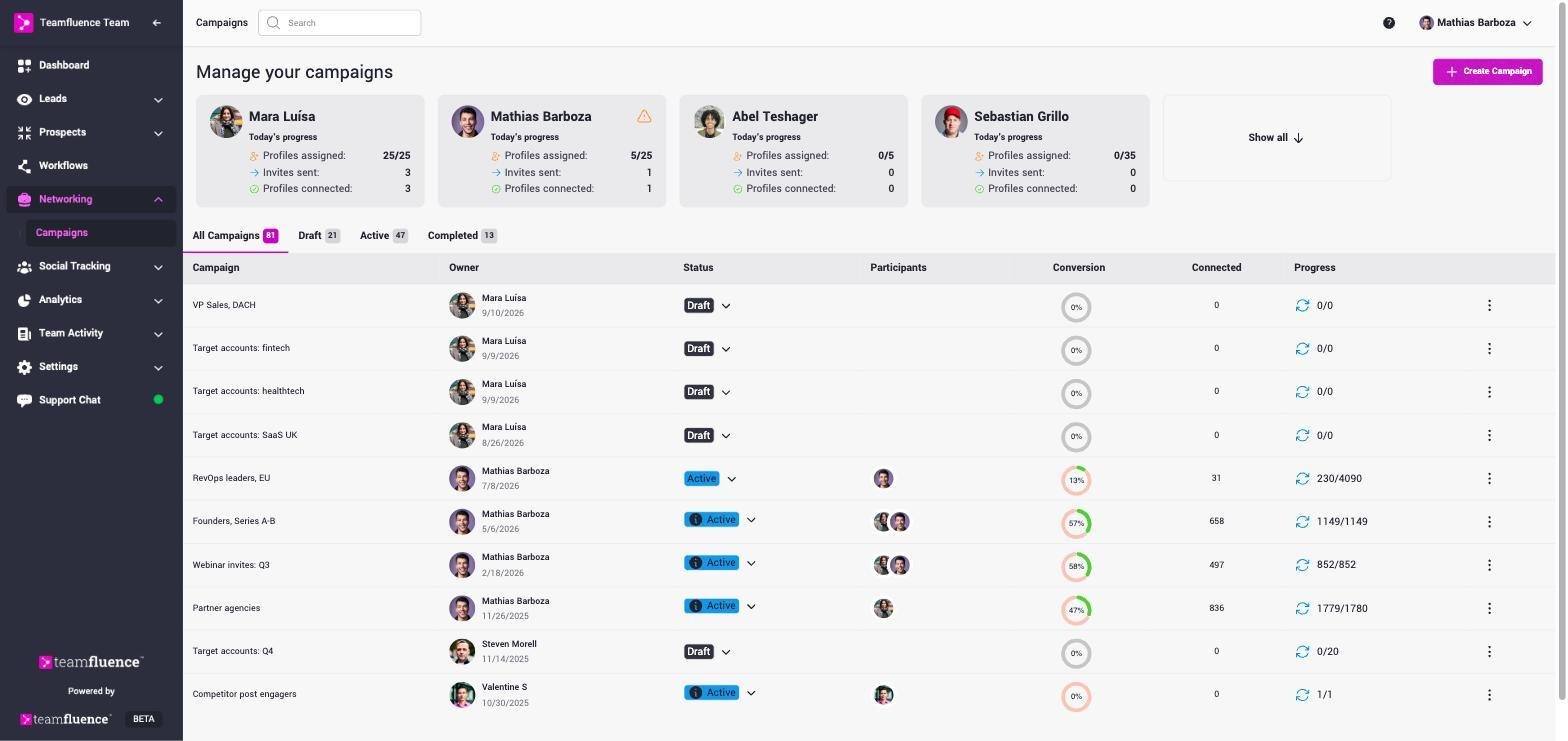
Trigify's platform closes at 11:59pm BST on 22 October 2026, and accounts don't move over to HubSpot. If you used it to see who engaged with posts and profiles, to track specific people and accounts, or to push leads into your CRM, Teamfluence covers those jobs.
One thing to check before you switch. If network-wide keyword listening was your main use, our keyword monitoring today only covers posts from the profiles you track, not the whole network. For some teams that's a dealbreaker, and I'd rather you find out here than halfway through a migration.
For Trigify customers, we price-match and migrate your setup for free. Send us what you had (tracked profiles, keywords, lists and where your leads went) and we'll rebuild it with you.
One plan: $499 a month, with unlimited seats and 1,000 new leads a month. You pay for leads, not seats.
For this particular job, that's the detail that matters. The point is to cover everyone who posts, including the people who hardly ever do, and per-seat pricing makes you think twice about adding them.
Stakki recorded a full walkthrough of Teamfluence. Watch it on Stakki's YouTube before you book a call with anyone, us included.
And if signals are only one part of the stack you're rethinking, that's the kind of question Stakki is there for.


.png)